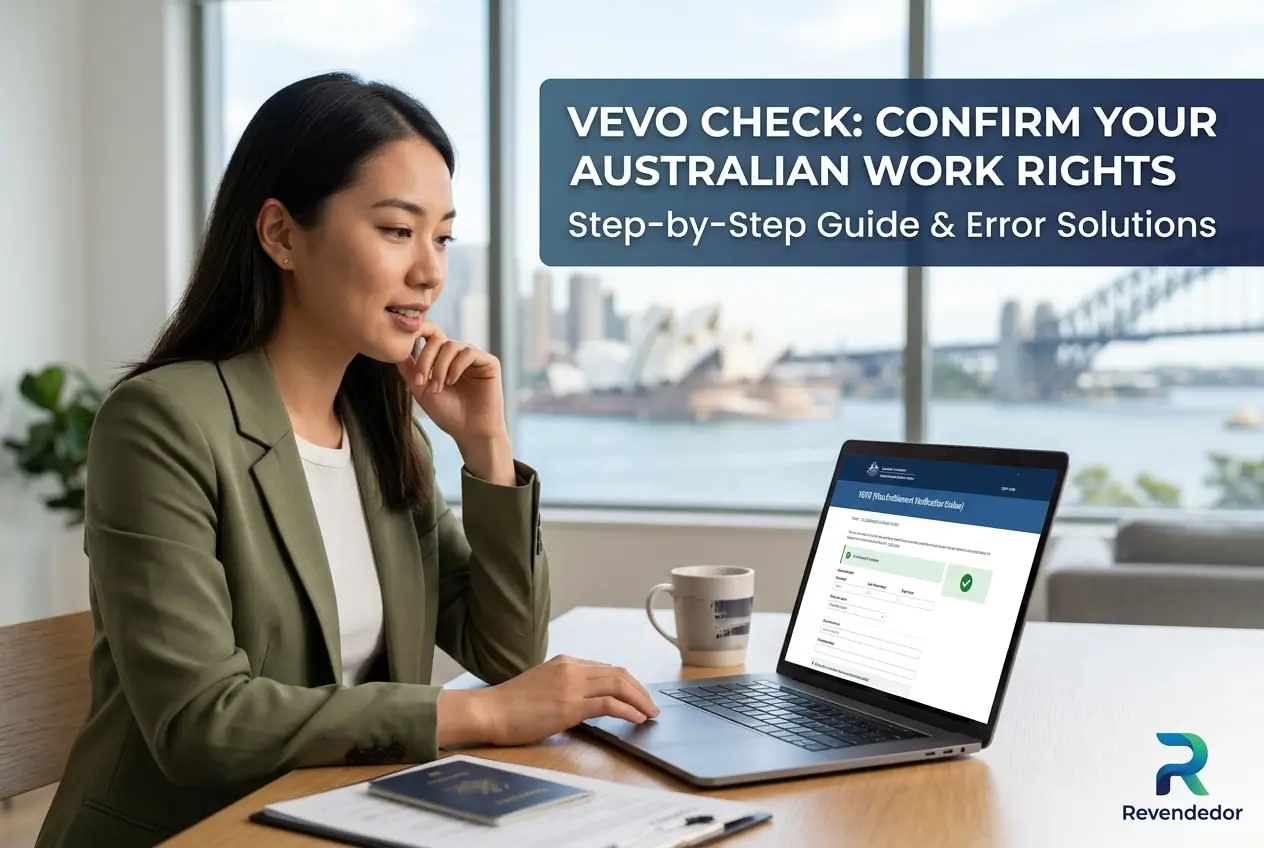
Are you unsure about your exact work rights in Australia right now? An Australian visa VEVO check gives you the official answer in minutes.
Employers need to know your legal status before offering you a job. Knowing how to confirm your work rights is absolutely essential for your career.
We will show you exactly how to check your visa status online. You will also learn how to fix common login errors quickly and safely.
What is the VEVO check in Australia?
The Visa Entitlement Verification Online system is a digital tool. It is often simply called VEVO by migrants and employers.
It is an official service provided by the Australian Department of Home Affairs. Best of all, this system is completely free to use for everyone.
VEVO allows visa holders to verify their current visa status securely. Employers and education providers can also use it to check your rights.
The system provides real time updates directly from government records. This means the information you see is always accurate and up to date.
Why physical visa labels are a thing of the past
The Australian government no longer issues physical visa labels. You will not get a sticker or a stamp in your passport anymore.
Everything is now managed through a central digital database. This change makes the immigration process faster and more secure for everyone.
Because there are no physical labels, VEVO is your only official record. It is the only way to prove your legal entitlements in the country.
You must rely on this digital system whenever you apply for a job. You also need it when opening a bank account or signing a rental lease.
Exactly what VEVO tells you about your visa
A standard VEVO check reveals several crucial details about your stay. It provides a complete summary of your rights and restrictions.
- Visa Class: The specific type of visa you hold right now.
- Expiry Date: The exact day your current visa officially ends.
- Work Rights: If you can work and any hour limits attached.
- Study Rights: If you are legally permitted to study in Australia.
- Travel Conditions: If you have multiple entry permissions.
The work rights section is particularly important for international students. It will clearly state if you are limited to 48 hours per fortnight.
It will also show any specific conditions attached to your visa subclass. For example, it might state you must remain with a specific employer.
How to check your work rights online
Using the official online portal is the most recommended method. It is highly reliable and works well on both computers and mobile phones.
Before you begin the process, gather your official documents. You will need your passport and your Visa Grant Notification letter.
- Visit the website: Go to the official Department of Home Affairs site.
- Find the tool: Select “Check your own visa details with VEVO”.
- Choose reference: Select your preferred Reference Type.
- Enter details: Type your Date of Birth and Passport Number.
- Submit: Click the button to view your current visa conditions.
You can choose from several reference types to log in. The Visa Grant Number is usually the easiest to find on your paperwork.
Once your details appear on the screen, you can save them. The system allows you to download a PDF copy for your personal records.
You can then email this secure PDF directly to your new employer. This is the standard way to prove your working rights in Australia.
Using the myVEVO mobile app for quick access
If you need to check your status frequently, there is another option. The Australian government offers a dedicated mobile application.
You can download the official myVEVO app to your smartphone. It is available for free on both the Apple App Store and Google Play Store.
The setup process is very simple and only takes a few minutes. You will need to create a secure PIN to protect your personal data.
Enter your document type, document number, and date of birth. You will also need your visa grant number for the initial setup.
After the first login, the app saves your details securely. You can then use your PIN to access your visa conditions on the go.
Comparing the online portal and the mobile app
Both methods provide the exact same official information. However, they serve slightly different purposes for the user.
| Feature | Online Web Portal | myVEVO App |
|---|---|---|
| Best for | Printing PDF records | Quick checks on the go |
| Login method | Full details needed every time | Secure PIN after setup |
| Device | Computers and tablets | Smartphones only |
Many migrants choose to use both methods depending on the situation. The portal is best for job applications while the app is good for quick checks.
How to fix common VEVO login errors
It can be very stressful when the system shows an error message. However, most login problems are simple to fix with a few quick checks.
The most common cause of an error is a simple typing mistake. Verify all your information against your official Visa Grant Notification letter.
Do not rely solely on your passport for the grant number. Always check the official letter sent by the Department of Home Affairs.
- Check characters: Ensure you are not confusing ‘O’ with ‘0’.
- Check numbers: Ensure you are not confusing ‘I’ with ‘1’.
- Name fields: If you have a middle name, try including it.
Technical glitches can also prevent you from logging in successfully. If the details are correct, try clearing your browser cache.
You can also try opening the portal in a completely different browser. Switching from Chrome to Safari or Edge often solves the problem.
What to do if your visa is still not showing up
Sometimes the system might undergo scheduled maintenance. If you suspect the site is down, simply wait 24 hours and try again.
It is crucial to understand that VEVO only displays currently active visas. It will not show expired visas under any circumstances.
It also will not show future visas that have not commenced yet. You must wait until the visa is officially active to see it online.
If you have entered everything correctly and it still fails, seek help. You need to contact the government directly to resolve the issue.
You can use the official VEVO Enquiry Form on the Home Affairs website. Take a screenshot of the error and attach your passport copy.
Critical security alerts and visa scams
Protecting your personal information is just as important as knowing your rights. Unfortunately, immigration scams are increasingly common in Australia.
Be extremely wary of anyone offering physical visa labels. Anyone claiming they can provide a sticker for your passport is attempting a scam.
Never pay for a basic visa check. Official VEVO checks are 100% free for everyone.
If an agent asks for money to fast track a VEVO check, walk away. There is no such thing as priority processing for this free database.
Always ensure you are using the official government website. Fraudsters create fake websites that look identical to steal your passport data.
Check the website address bar carefully before typing your details. The URL must always end in .gov.au to be legitimate.
Useful contacts for visa help and fraud reporting
If you encounter ongoing issues, official help is available. You should always use legitimate government channels to resolve visa problems.
For general enquiries within Australia, call the Department of Home Affairs. Their official contact number is 13 18 81 during business hours.
If you suspect you have been targeted by a fake visa website, report it. You can contact Border Watch immediately to protect others.
- Official Website: Visit homeaffairs.gov.au for all forms.
- Border Watch: Report immigration fraud anonymously online.
- Phone Support: Have your passport ready before calling.
Remember that complex visa situations might require professional help. Consider consulting a registered migration agent for legal advice.
Your next steps for peace of mind
Understanding your work rights gives you confidence in the Australian job market. It protects you from accidental breaches of your visa conditions.
We highly recommend keeping a recent PDF copy of your VEVO check saved. Store it securely on your computer or cloud drive for easy access.
Update this document whenever your circumstances change. Keeping your records organised shows employers you are a responsible professional.
Take five minutes today to log in and confirm your status. Securing your work rights is the first step toward a successful career in Australia.